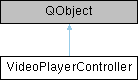
The VideoPlayerController class manages visualization of image data and manual changes to keyframes.
More...
#include <videoplayercontroller.h>
|
| void | sig_hasStatusMessage (QString message) |
| | [signal] sig_hasStatusMessage(...) is emitted when VideoPlayerController has a status message to display to the user.
|
| |
| void | sig_toggleKeyframe (uint idx, bool isNowKeyframe) |
| | [signal] sig_toggleKeyframe notifies about a manual keyframe change by clicking Add keyframe/Remove keyframe
|
| |
|
void | sig_deleteKeyframes () |
| | [signal] sig_deleteKeyframes is emitted when all keyframes are deleted
|
| |
|
void | sig_deleteAllKeyframes () |
| | [signal] sig_deleteAllKeyframes is emitted when frames are reseted to be keyframes
|
| |
The VideoPlayerController class manages visualization of image data and manual changes to keyframes.
The image data is provided by the DataManager *dataManager. For visualization a VideoPlayer *player and a Timeline *timeline are used. The user can select images and modify keyframes using Timeline and VideoPlayer functions which delegate the command to this VideoPlayerController using signals. This VideoPlayerController is tasked with updating the data provided by dataManager as well as refreshing the view-elements (Timeline and VideoPlayer) periodically and after changes to the image data.
- Author
- Dominik Wüst
- Date
- 2021/02/10
◆ VideoPlayerController()
| VideoPlayerController::VideoPlayerController |
( |
QObject * |
parent = nullptr, |
|
|
VideoPlayer * |
player = nullptr, |
|
|
Timeline * |
timeline = nullptr, |
|
|
DataManager * |
dataManager = nullptr, |
|
|
std::shared_ptr< PluginThread > |
pluginThread = nullptr |
|
) |
| |
|
explicit |
Creates a VideoPlayerController instance. Connects to the signals from VideoPlayer and Timeline and initializes both with image data from DataManager. Initializes a timer to interrupt periodically.
- Parameters
-
| parent | a QWidget as parent in the Qt object hierarchy |
| player | a VideoPlayer instance to display images |
| timeline | a Timeline instance to visualize keyframe distribution |
| dataManager | a DataManager Instance to access image data |
| algoController | an AlgorithmController instance to transform images and preview them |
◆ getImageIndexOnScreen()
| unsigned int VideoPlayerController::getImageIndexOnScreen |
( |
| ) |
|
getImageIndexOnScreen getter for m_imageIndexOnScreen (only used in tests for now)
- Returns
- index of image currently displayed
◆ sig_hasStatusMessage
| void VideoPlayerController::sig_hasStatusMessage |
( |
QString |
message | ) |
|
|
signal |
[signal] sig_hasStatusMessage(...) is emitted when VideoPlayerController has a status message to display to the user.
- Parameters
-
| message | the QString to display. |
◆ sig_toggleKeyframe
| void VideoPlayerController::sig_toggleKeyframe |
( |
uint |
idx, |
|
|
bool |
isNowKeyframe |
|
) |
| |
|
signal |
[signal] sig_toggleKeyframe notifies about a manual keyframe change by clicking Add keyframe/Remove keyframe
- Parameters
-
| idx | Index of the changed frame |
| isNowKeyframe | true if the frame wasn't a keyframe and became one by the user, false otherwise |
◆ slot_changeIndex
| void VideoPlayerController::slot_changeIndex |
( |
unsigned int |
index | ) |
|
|
slot |
[slot] slot_changeIndex(...) displays the image from DataManager referenced by given index.
- Parameters
-
◆ slot_changeStepSize
| void VideoPlayerController::slot_changeStepSize |
( |
unsigned int |
stepsize | ) |
|
|
slot |
[slot] slot_changeStepSize(...) changes stepsize for iterating the images.
- Parameters
-
◆ slot_showNextImage
| void VideoPlayerController::slot_showNextImage |
( |
| ) |
|
|
slot |
◆ slot_showPreviousImage
| void VideoPlayerController::slot_showPreviousImage |
( |
| ) |
|
|
slot |
◆ slot_toggleKeyframesOnly
| void VideoPlayerController::slot_toggleKeyframesOnly |
( |
bool |
checked | ) |
|
|
slot |
[slot] slot_toggleKeyframesOnly(...) switches between displaying all images or keyframes only.
- Parameters
-
| checked | display all images if false, keyframes only if true |
The documentation for this class was generated from the following files:

 1.9.8
1.9.8